
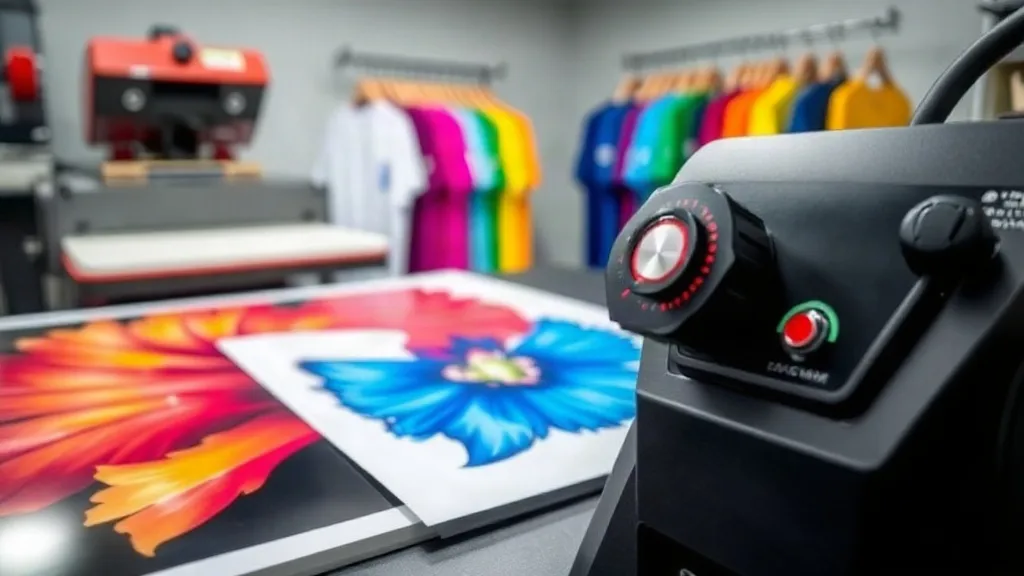
Color is the first thing customers notice about a printed garment. A design that looks dull or off-brand can ruin an otherwise perfect job. With DTF transfers, achieving accurate, vibrant colors is possible, but it requires attention to detail at every step. Whether you're a seasoned pro or just starting, this guide will walk you through the key factors that influence color output and how to control them.
Why Color Accuracy Matters in DTF Printing
In the competitive world of custom apparel, color accuracy sets you apart. Customers expect the printed design to match their digital mockup. When colors are off, you risk reprints, lost time, and damaged reputation. DTF printing offers a wide color gamut, but without proper management, you might see shifts in hue, saturation, or brightness. Understanding the variables helps you deliver consistent results.
The Core Components of DTF Color Reproduction
DTF printing involves several components that work together: the printer, inks, film, powder, and the garment itself. Each plays a role in how colors appear. Let's break them down.
Printer and Ink
Your printer's print head and ink quality are fundamental. DTF printers use CMYK plus white ink. The white ink acts as a base, especially on dark fabrics, and its opacity affects color vibrancy. Using third-party or expired inks can lead to inconsistent colors. Always use high-quality inks designed for DTF and maintain your printer regularly. Clogged nozzles or misalignment can cause banding and color variations.
Film and Powder
The film's coating and the powder's melt properties influence how ink adheres and appears. A poor-quality film might not hold ink evenly, leading to dull or patchy colors. Similarly, powder that doesn't melt properly can create a textured surface that scatters light, making colors look less vibrant. Invest in reputable supplies and store them properly to avoid moisture damage.
Garment Characteristics
The fabric you print on can dramatically affect color. Light-colored garments allow colors to pop, while dark garments require a thicker white base to prevent the shirt color from showing through. Different fabric blends absorb ink differently; for example, polyester might yield brighter colors than cotton. Always test on the actual garment you'll be using.
Color Management: From Screen to Print
One of the biggest challenges is ensuring that the colors you see on your monitor match the final print. This is where color management comes in. Start by calibrating your monitor regularly. Use ICC profiles for your printer, ink, and film combination. Most RIP software allows you to load custom profiles that compensate for the specific behavior of your setup. Without profiles, you're guessing.
Creating and Using ICC Profiles
ICC profiles are digital files that describe how a device reproduces color. For DTF, you need a profile that accounts for the printer, ink, and film. You can create your own using a spectrophotometer, or obtain profiles from your supply vendor. Many dtf transfers suppliers provide profiles for their materials. Apply the profile in your RIP software and soft-proof your designs to see how they'll print.
Soft Proofing and Adjustments
Soft proofing simulates the print output on your screen. It helps you identify out-of-gamut colors and make adjustments before printing. For example, if a bright neon green won't reproduce accurately, you might need to substitute a slightly different shade. Also, consider the garment color: printing on a dark shirt will require a white underbase, which can affect the final appearance. Always preview with the white layer included.
Best Practices for Consistent Color
Beyond color management, daily habits ensure repeatable results. Here are some actionable tips:
- Maintain your printer: Perform regular cleaning cycles, check nozzle health, and replace dampers as needed. A well-maintained printer produces consistent droplets and color.
- Control your environment: Temperature and humidity affect ink viscosity and film behavior. Aim for a stable environment around 70-75°F (21-24°C) and 40-60% relative humidity.
- Use quality supplies: Stick with reputable brands for ink, film, and powder. Cheap supplies often lead to color inconsistencies and wasted time.
- Test regularly: Print a color test chart daily or whenever you change materials. This helps you catch issues early.
- Store materials properly: Keep film and powder sealed and away from moisture and direct sunlight. Rotate stock to use older supplies first.
Troubleshooting Common Color Issues
Even with precautions, problems can arise. Here's how to address some common color-related issues:
Colors Look Dull or Faded
This often indicates insufficient white ink or poor powder application. Check that the white layer is opaque enough, especially on dark garments. Also, ensure the powder is fully melted and cured according to the manufacturer's recommendations. If the issue persists, your ink might be past its prime or the print head may be partially clogged.
Color Shifts Between Prints
Inconsistent color from one print to the next can stem from fluctuating environmental conditions, ink separation, or improper profile application. Stir inks gently before use, maintain a stable environment, and verify that the correct profile is selected for each job. Also, check that the film is not expired or damaged.
Colors Bleed or Migrate
On some fabrics, especially synthetic blends, dye migration can occur where the garment's dye sublimates into the print. Using a low-bleed white ink or a barrier layer can help. Additionally, curing at the correct temperature and time is crucial to prevent bleeding.
Finding Reliable Supplies and Support
Quality starts with your materials. When searching for dtf transfers near me, prioritize suppliers who offer consistent products and technical support. A good supplier provides ICC profiles, troubleshooting guides, and responsive customer service. They can also advise on the best film and powder for your specific printer and applications. Building a relationship with a trusted vendor saves you time and frustration.
Frequently Asked Questions
How often should I calibrate my monitor for DTF color accuracy?
Calibrate your monitor at least once a month, or more frequently if you rely heavily on color-critical work. Changes in ambient lighting and monitor aging can affect calibration. Use a hardware calibrator for best results.
Can I use the same ICC profile for different garments?
No, different fabrics and colors require different profiles. For example, a profile for white cotton won't work well for black polyester. Create or obtain profiles for each combination of garment type and color you commonly use.
What's the best way to store DTF film to prevent color issues?
Store film in its original packaging, away from direct sunlight, heat, and moisture. Keep it in a cool, dry place. Once opened, reseal the bag to prevent dust and humidity from affecting the coating.
Why do my prints look different under different lighting?
This is due to metamerism, where colors appear different under varying light sources. To minimize this, use inks and profiles that are optimized for the lighting conditions where the garment will be worn. Also, evaluate prints under standardized lighting.
How can I ensure color consistency across multiple printers?
Use the same ink brand and batch, apply identical ICC profiles, and maintain each printer equally. Regular color audits with a spectrophotometer can help keep all devices in sync.